Mon
1
Choose date & time
›General


CRM


Admin


Calendar
 Anna Lewis
Mon
1
Tue
2
Wed
3
Thu
4
Fri
5
Sat
6
Sun
7
Mon
8
Tue
9
Wed
10
Thu
11
Fri
12
Sat
13
Sun
14
Mon
15
7
8
9
10
Break
Break
Break
Break
Cosmetologist consultation
Iris Parker
Status
New bookingPrice
€30
7:00 - 8:00
Nail strengthening
Victoria Lane
Status
New bookingIncome
€12
7:00 - 8:00
Facial cleansing
CancelledPrice
€20
8:00 - 8:30
RF face lifting
Anna Lawson
Status
New bookingIncome
€80
8:30 - 10:00
Lip contouring
Sophia Mills
Status
Repeat bookingIncome
€160
8:00 - 9:30
Cosmetologist consultation
Alina Summers
Status
ConfirmedIncome
€35
9:00 - 10:00
Biorevitalization
ConfirmedIncome
€420
11:00 - 12:30
RF face lifting
Iris Parker
Status
New bookingIncome
€70
13:00 - 14:00
Visible hours


Emma Johnson
PersonalHair extension specialist
Helping create natural volume and length without compromise.
174 clicks


Link grid


Employee schedule
Set up working days and hours for this employee.

Amelia
Dentist • 40 hours / week
Working hours
Breaks
Time off
Weekly schedule
Monday
10:00
18:00
Tuesday
10:00
18:00
Wednesday
10:00
18:00
Thursday
10:00
18:00
Friday
10:00
18:00
Saturday
Day off
Sunday
Day off
Weekly total
40 h
Break
Monday - Friday
1 hour
13:00 – 14:00
Cleaning
Monday - Friday
30 minutes
18:00 – 18:30
Breaks are automatically blocked in the calendar. Clients can't book time during breaks.
Leave balance
Total
24
days
Used
7
days
Remaining
17
days
Pending
1
request
Annual leave
Mar 24 — Mar 28, 2026
Approved
5 days
Sick leave
Feb 10 — Feb 11, 2026
Approved
2 days
Personal day
Apr 15, 2026
Pending
1 day
Apply to all working days
Monday through Friday will share the same schedule.
Cancel
Save

Psychologist consultation
€60
Booking payment
Psychologist consultation
€60


Pay €60
Service performance




€4,290
total revenue
Lip contouring
RF lifting
Facial cleansing
Other
Services
Bookings
Revenue

Lip contouring
14
€1,590
RF lifting
18
€1,350
Facial cleansing
24
€840

Consultation
17
€510
New clients
+24
+16%
New booking
A client booked a service through the widget
SMS
Your booking is confirmed!
10:30
Reminder
A friendly reminder about your appointment tomorrow at 15:00. Have a great day!
15:00
After visit
Thank you for your visit! Please take a moment to leave a review🙏
18:30
SMS
Pending
Reminder
Pending
Review
Pending

How to create a Link-in-Bio page for creators in 2026
How to create a Link-in-Bio page for creators in 2026
How to create a Link-in-Bio page for creators in 2026
How to create a Link-in-Bio page for creators in 2026
Need help?
Find the answer in the help center or write to us.
Show your dentists, your treatments with their length and the free hours on one page. Patients pick a visit themselves and get a reminder the day before, while the clinic sees every dentist on one schedule, with no overlaps.
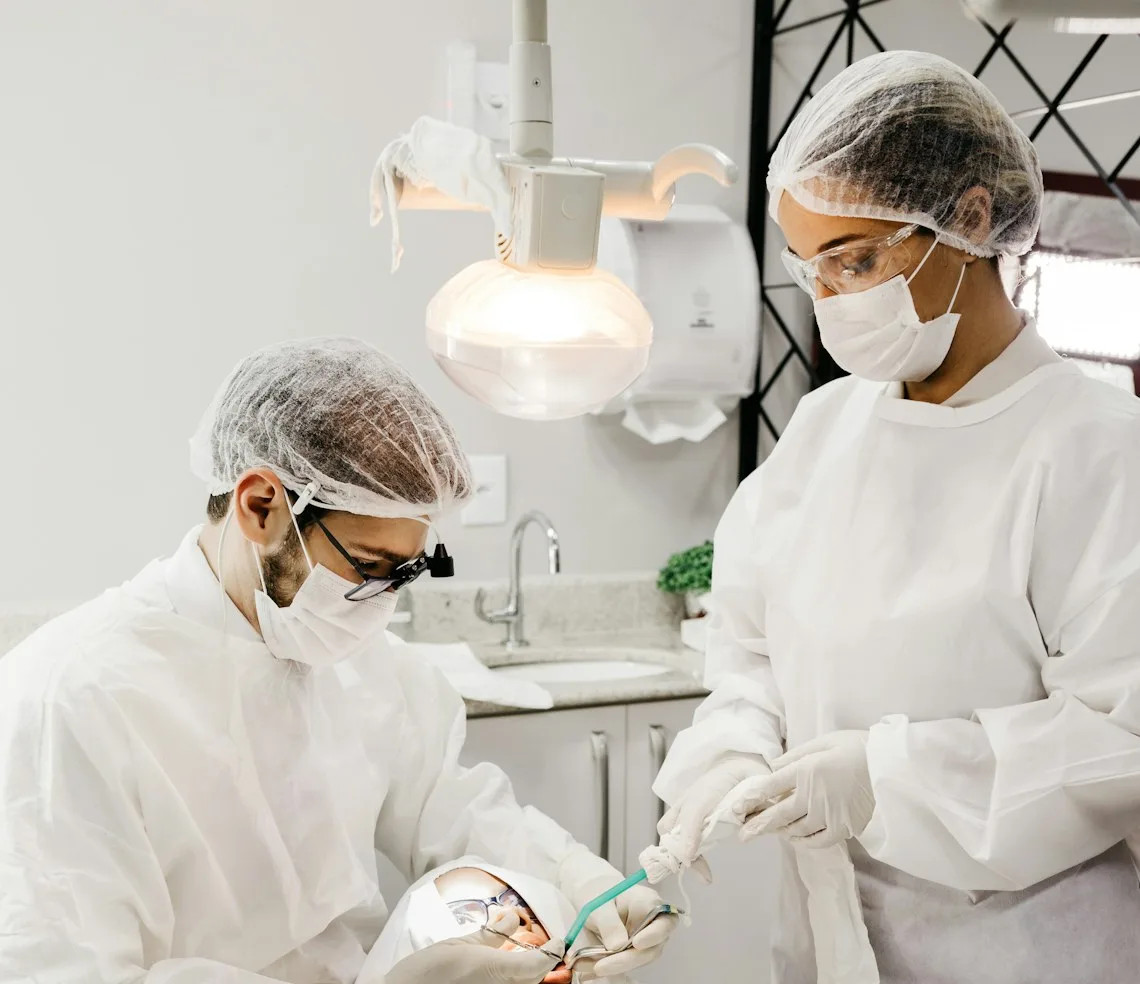
A twenty-minute check, an hour of hygiene and a two-hour implant sit in the same week. You can see who is working late, how long each visit runs, and where a patient in pain will fit.


No overlaps
Every treatment carries its own length, so a two-hour implant never drops into a slot meant for a twenty-minute brace adjustment. The dentist’s time is held for exactly as long as the visit runs.

The whole team in view
The dentist, the hygienist, the orthodontist and the surgeon each keep their own hours and their own list of treatments. Patients are offered only what is genuinely free.

Moving a visit without ringing round
A dentist is off sick or a visit shifts: the patients hear about the change themselves, and the time it frees opens for booking again straight away.
 Everything a clinic runs on
Booking, the dentists’ schedule, the patient card, the form before a visit and what is left in stock, all in one service. Reception stops copying all of it into a paper book.

The booking page
Patients pick the dentist, the treatment and a free time on your page and confirm the visit, with no call to reception and no waiting on hold.

The dentists’ schedule
The clinic’s week in one calendar: who is in, which hours are free and how long each visit takes.

The patient card
Contacts, the history of visits and your notes in one profile. You can see when someone was last in and what they are booked for next, which is what matters when treatment runs over several appointments.

A form before the visit
Collect what the dentist should know in advance of a first appointment: allergies, chronic conditions, medication. The form lives on a page of its own and reception sends its link.

Materials in stock
Anaesthetic, composite, hygiene kits, an implant ordered in for one particular patient: you can see what is being used up and what it is time to reorder.

Bookings and money
How many bookings in a week, which treatments people come in for most often, and how much each dentist brought in.
 Quick start
Build the page in an evening: the clinic, the treatments with their lengths, the dentists with their hours, and a link you can share.

Create the clinic’s page
Add the name, the address and your contacts, and style the page the way the clinic looks.

List the treatments
Set the length and the price of each: check-up and consultation, hygiene, fillings, root canal treatment, implants, brace adjustments.

Add dentists and hours
Set the hours each dentist works and the treatments they carry out.

Share the link
Put it in Instagram, on your site and on your Google listing, and bookings appear in the clinic’s schedule at once.
 The result in numbers
The patient sees when the right dentist has a free hour and books it. The next stage is set during the visit, so a course of treatment does not stall halfway.
Try for free

24/7
Patients book after reception has closed too

3 min
To add a treatment with its length and price

100%
Of visit reminders go out automatically

30+
Integrations, calendar and Telegram among them


(4.9/5)
500+ businesses already run on Bookly
Fewer Lost Leads.
More
Loyal Clients.
Attract clients, take bookings, automate communication, and track results — no complicated setup.

Ask it here. The answer appears under your question and lands in your inbox, and stays on the page for the next person looking for the same thing.
Rachel
Sarah

Bookly team
Awaiting an answer
Bookings, contacts and notes live in the clinic’s workspace, and it is open only to the staff you have given access to: each dentist sees their own diary, the administrator sees them all. Bookly does not keep clinical records: it holds the booking, the contacts and the history of visits.
Yes. The next stage of treatment goes into the schedule right at the chair, before the patient leaves: two weeks out for a crown fitting, three months out for a review. A reminder goes before each visit separately.
Every treatment has its own length and price: twenty minutes for a check, an hour for hygiene, two hours for an implant. The calendar counts the time from the treatment, so the dentist’s time is held for exactly as long as the visit runs.
The patient card shows the date of the last visit, so it is clear who is due. And if the check-up is already in the schedule, the reminder goes out by itself, and nobody has to ring round.
Yes, as a separate form. You build it on the multilink forms page and reception sends the patient the link: allergies, chronic conditions, medication, previous treatment. The dentist reads the answers before the patient is in the chair.
Yes, though by hand: Bookly takes no payments online. For an implant or surgery the patient sends a deposit and reception enters it in Finance as a Deposit operation, and that is what holds a two-hour slot. For a check-up or hygiene nobody bothers.
Yes. Create an account, add your dentists and treatments, and open booking, with no card and no commitment.
Bookly is not only for dental clinics. Pick your own line of work: the same tools are there, arranged around different days.
Bookly is a Ukrainian online booking and CRM service for dental clinics: patients book a dentist themselves, each dentist keeps a schedule with no overlaps, and the next stage of treatment goes into the calendar right at the chair.
A dental clinic’s day rests on two things: the dentists’ schedule and the phone at reception. While the administrator is settling up with a patient at the desk, a call goes unanswered, and the person who was looking for a dentist that evening carries on down the list. A booking page takes part of that work off reception: patients see the dentists, the treatments with their length and price and the hours that are genuinely free, and book for themselves, even once the clinic has closed.
The bottleneck in a clinic is the chair, so time is counted by treatment rather than by the hour. A twenty-minute check, an hour of hygiene and a two-hour implant sit in the same week without landing on top of one another: each dentist keeps their own hours and their own list of treatments, and the time freed by a moved visit opens for booking again at once.
Treatment rarely fits into a single appointment. The next stage can go into the schedule right at the chair: two weeks out for a crown fitting, three months out for a review, and a reminder goes before each visit on its own. The patient card keeps the history of visits, the contacts and the dentist’s notes, so it is clear when someone was last in and who is due to be invited for their six-month check-up.
A short form before a first visit collects what the dentist should know in advance: allergies, chronic conditions, medication. The form lives on a page of its own, and the answers stay in the clinic’s workspace, which only the staff you have given access to can open. Bookly does not keep clinical records: it holds the booking, the schedule, the contacts and the reminders, and the page itself works as one link for your site, Instagram and your Google listing.























Bookly team