











Mon
14
A client DMs you “any openings?” at 11:40 p.m. while you’re asleep. Online booking for beauty salons means they open the link in your bio, see services, prices and free slots, and book on their own. In the morning the booking is already in your calendar and the client is in your CRM.

 Everything for online booking
Online booking, your schedule, clients, materials and analytics in one place: open it in the morning and see your day.

Online booking
Clients pick the service and a free slot themselves. Put the booking link in your bio, in a messaging app or on your site.

Calendar and schedule
All your bookings sit in one calendar with working hours and breaks. You can’t put two clients in the same time slot: Bookly won’t save the overlap. On the Team plan, each specialist gets their own column.

CRM and client base
Contacts, visit history, tags and notes on every client in one card, not scattered across chats and a notebook.

Stock tracking
Products and materials in “Materials”: price, stock level and the point when it’s time to reorder. You update the stock yourself, so you can see what’s running out.

Form builder
Intake forms and questionnaires as separate pages, each with its own link. Clients fill them out before the visit, and the answers land in “Requests”.

Analytics and finance
Bookings, revenue and top-earning services in “Finance”, and each specialist’s workload on their card. Specialist pay is calculated on the Team plan.
 What your business gets
In beauty salons, it looks like this: clients book on their own, your schedule has no overlaps, and before the next visit you open their card.
 More new bookings
It’s 9:30 p.m. and a client remembers she’s due for color. She opens your page, sees a 90-minute single-tone color for €80 and the times still open, and books. On the Team plan, she picks a specialist too. In the morning, you see the booking on your calendar and confirm it.
 A page with services, prices and photos
Online booking stays open after closing time
One link for your site, social media and messaging apps
 Fewer missed visits
On the Team plan, each specialist has a column on your calendar: hairstylist, colorist, nail tech. Bookly won’t put two clients with the same specialist at the same time, and nobody can book a break or a day off online. A reminder, by default the day before, helps clients remember their visit.
Clients only see the hours that are free
New bookings appear in the calendar by themselves
Turn on reminders in “SMS center”
More returning clients
Toner 8.1, leave for 35 minutes, trim the bangs 1 cm next time: a note like that sits on the client’s card, next to her visit history. Your specialist opens it before the visit instead of asking again. When she’s due back, check “Last visit” and message her yourself.
Past bookings and services
Notes and client preferences
Last visit date on the card
 Quick start
Set up your page, add services and open online booking. No separate website and no technical know-how needed.

Create your page
Add your name, description and contacts, and style the page to match your business.

Add services and the team
List services, prices and how long each takes. On the Team plan, add specialists and set who does which services.

Set the working hours
Set working hours and breaks. Clients only see the free slots, and no one can book over a break.

Share the link
Put the link in your bio, in messaging apps or on your site. New bookings land in your calendar on their own.


(4.9/5)
50+ businesses already run on Bookly
Fewer midnight DMs.
More
booked clients.
Link in bio, online booking and a CRM in one place. Bookly takes the routine off your plate: confirmations, reminders, your schedule. Free plan forever. No card needed.

Ask it here. The answer appears under your question and stays on the page for the next person looking for the same thing.
Carla
Megan

Bookly team
Awaiting an answer
Yes. Basic is free forever: up to 30 bookings a month and one specialist in the calendar, no card needed. You move to Pro or Team when you outgrow it.
One evening is enough: name, services, working hours and the “Booking” tab, and your page is taking bookings. Add forms and reminders later, at your own pace, and on the Team plan, your team too.
Yes, you can change your plan in the settings at any time. A higher plan starts right away, a lower one from the next payment. Your bookings, clients and page stay where they are.
For any business that takes bookings: from a specialist working alone to a team on the Team plan.
No. The booking page, the calendar, the client base and reminders are part of Bookly, so you don’t need a separate website or third-party services.
Yes. The client gets a confirmation right after booking and a reminder before the visit, so it’s harder to forget.
Your data stays in your account: the paid plan runs to the end of the period, then the business moves to the free Basic plan, and bookings, clients and your page stay put. You can export your client base as a CSV.
Bookly isn’t only for beauty salons. Pick your own line of work: the same features, arranged around a different kind of day.
Bookly is online booking for beauty salons and a CRM behind one link: your service menu, open times and booking in one place, and Basic stays free forever. A client picks the service and time on her own, your specialists’ schedules share one calendar on the Team plan, and visit history and notes stay on her card.
Your day is made of small interruptions. A client DMs to ask whether Friday has an opening, the front desk checks the book, a specialist confirms how long a color takes, and the last client is still in the chair. Each exchange costs a few minutes, and they add up fast.
Online booking cuts most of those conversations. Your page shows services, prices and free time, plus your specialists on the Team plan. The client picks on her own, and the booking appears on your calendar with the service and duration already on it. All that’s left for you is to confirm it.
A women’s haircut takes 60 minutes, a facial 75, a single-tone color 90, and each booking takes exactly that long on the specialist’s schedule. With several specialists, that’s the part of the job that otherwise lives in the front desk’s head. To be clear about the limits: Bookly doesn’t take payments online and isn’t a POS. You mark each booking paid as “Cash”, “Card” or “Terminal”, and it counts as income in “Finance”.
As a CRM for beauty salons, Bookly builds your client list on its own: a card appears after the first booking. It holds visit history and notes: which color, which sensitivities, what the client asked for last time. When she’s due for a repeat service, you see “Last visit” and message her in time, not after she’s found another salon.








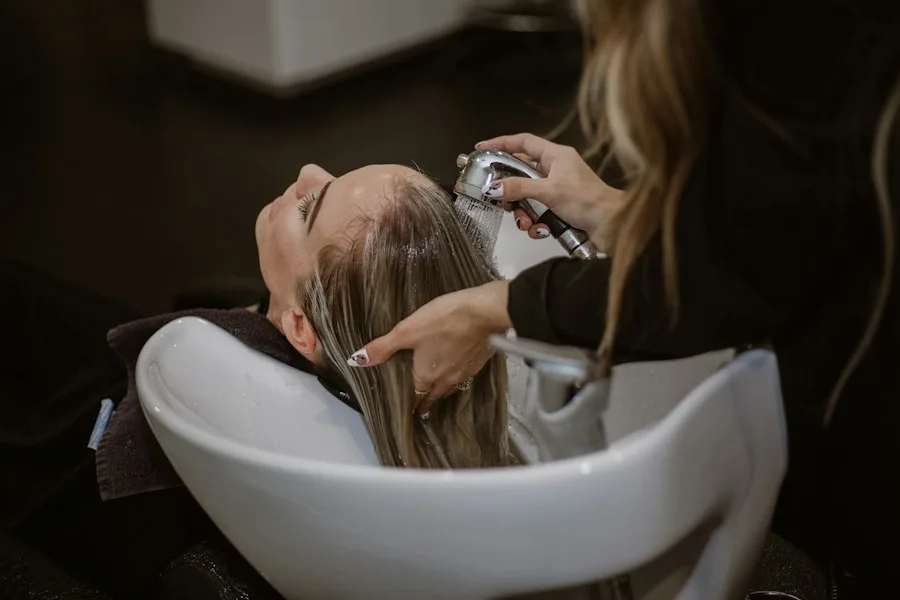





Bookly team